
In the Agenda, open your Activity or Multi-Event by clicking on it: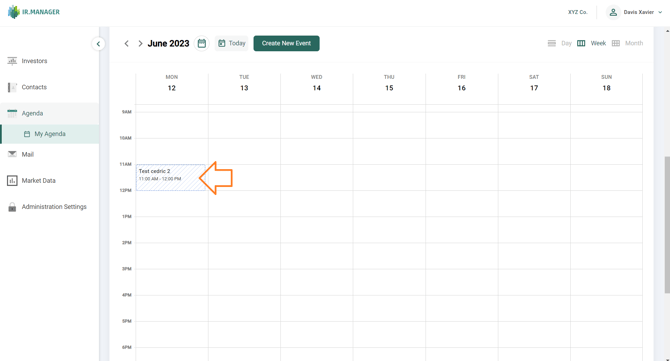
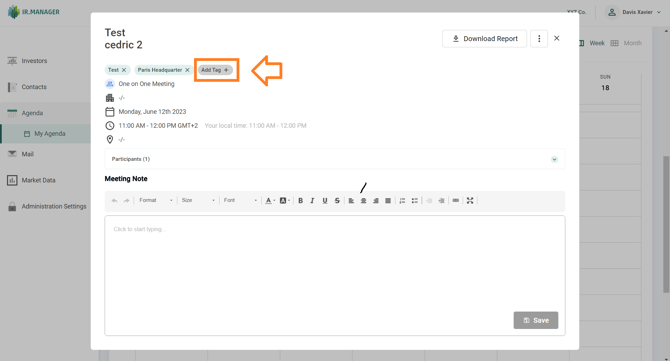
A popup window appears with the button Add Tag just below the title of the event:
By adding a tag, a searchable keyword is added to the meeting: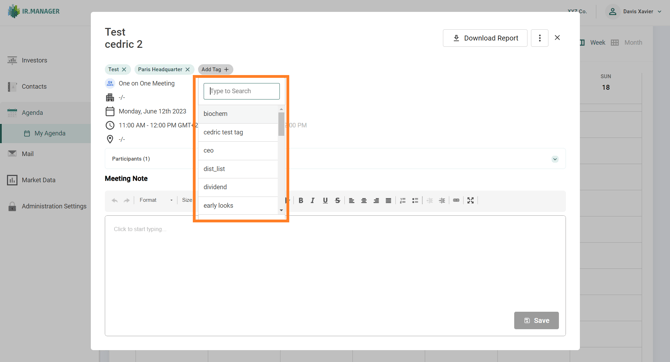
In the Agenda, open your Activity or Multi-Event by clicking on it:
A popup window appears with the button Add Tag just below the title of the event:
By adding a tag, a searchable keyword is added to the meeting: