Skip to content
  • There are no suggestions because the search field is empty.

How to Export your data to Excel (My Shareholders, My Contacts, etc…)

In the different categories Investors (All InvestorsMy Shareholders, Targeting) and Contacts (My ContactsPublic Directory) you can export the data into Excel. 

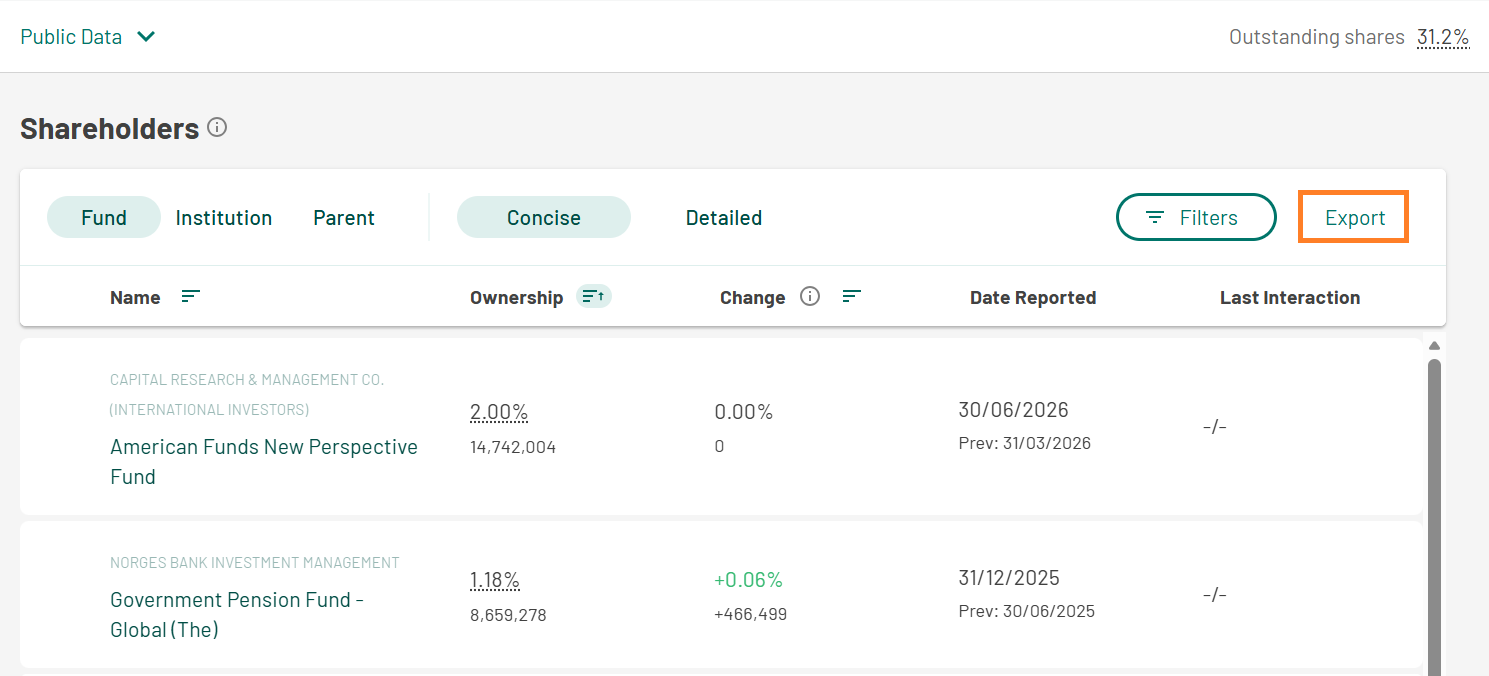
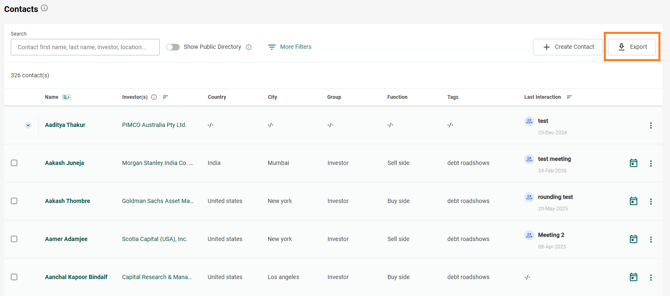
You can proceed the following way: every time you are entering a category, you can see the button Export in the top right corner, next to Filter
Click on it to download an Excel file with all information currently displayed on your screen.

You can export the whole initial list of My Shareholders or My Contacts to Excel, for example. Or if preferred, you can filter first and then click on Export in order to get a customised list.

See the screenshots below.

Export My Shareholders:Click on the "Export" button in the top-right corner next to the filter to begin the export process for My Shareholders data


Export My Contacts:Export the data of My Contacts by clicking the "Export" button after applying any filters


Export Targeting:

Export Peer Comparison data by clicking the "Export" button to download the Excel file

The exported Excel file will include the data as displayed on your screen, whether filtered or unfiltered