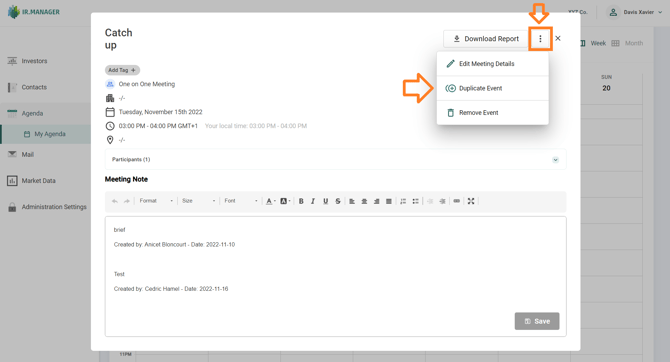
When opening an Activity in the agenda, a pop-up window is displayed, containing a vertical 3-dots icon in the top-right corner. Please select “Duplicate Event” , it acts like a copy/paste, adding the new Activity one hour later. A new window will appear, giving you the opportunity to customize the details specific for this slot.