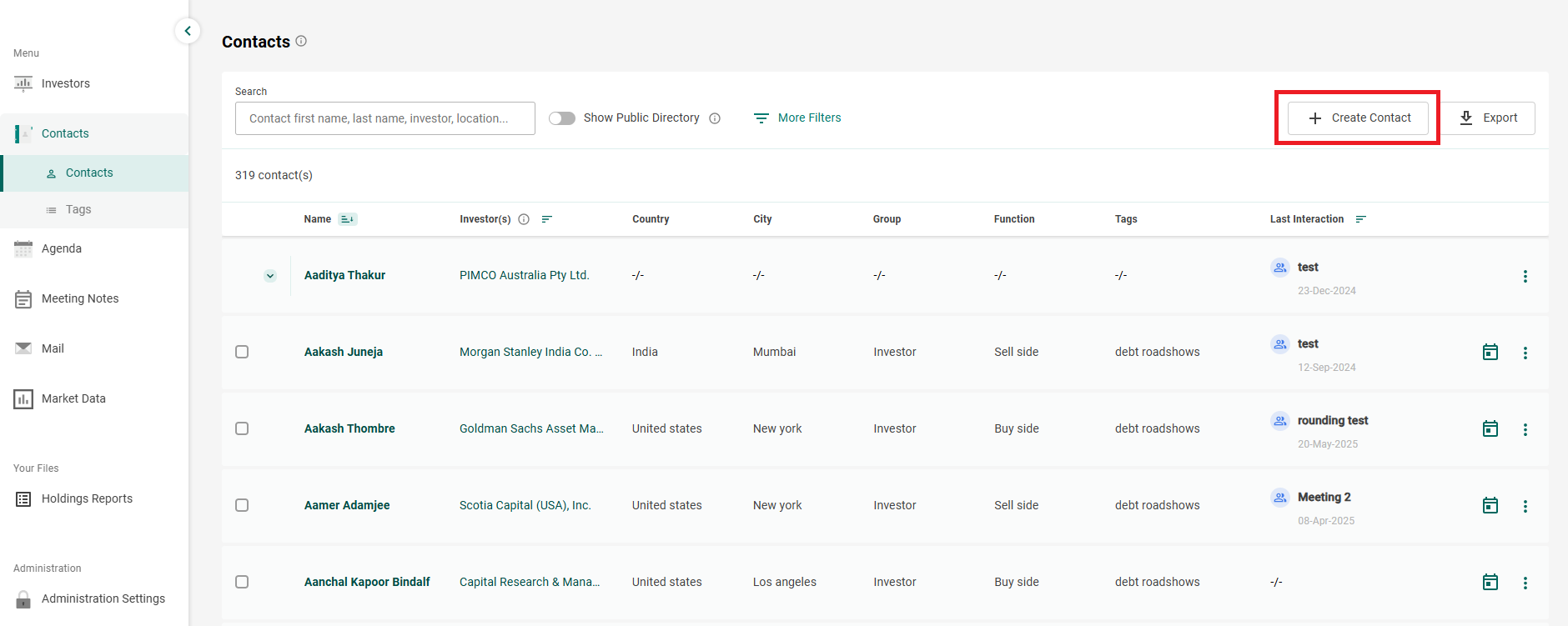
- Go to Contacts and click on the button Create Contact:
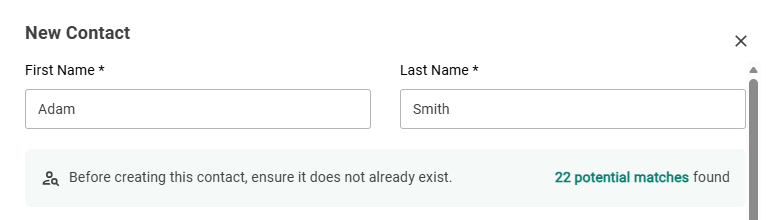
- Enter the name. The form will search for matches in your Contacts list and the Public Directory. Click on the potential matches to see them, and choose the right one if it is there.
- Otherwise, complete at least the required fields (First Name, Last Name, and Group). It is recommended that you add some others such as the Organisation Name (in which your contact works) if you have the information. Have in mind that the more information you record, the more complete the profile of the contact will be:
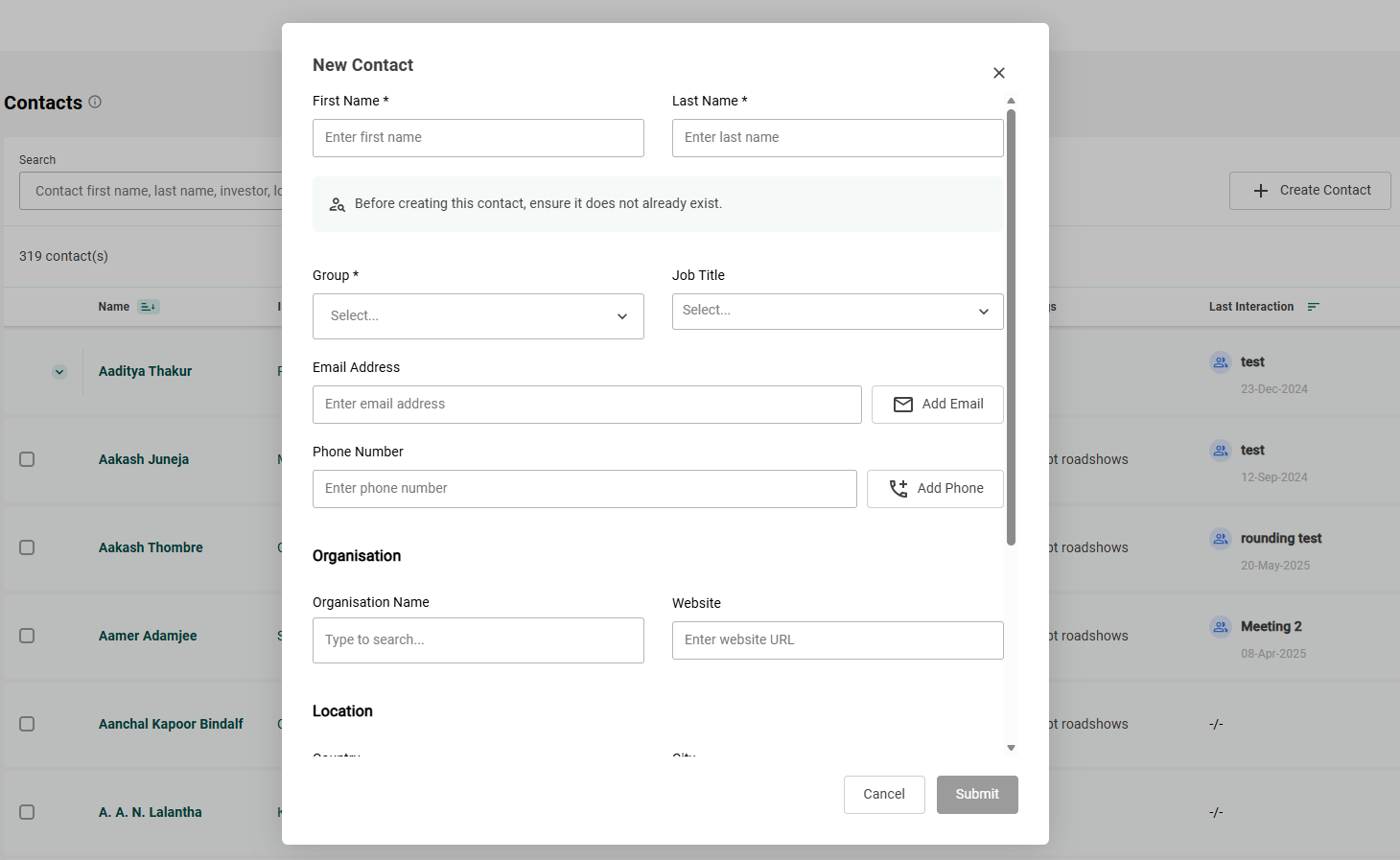
Little tip: When you are adding the Organization Name, it is much better to select the Organization Name coming from FactSet (with the FactSet logo) so that your Contact is directly connected to the FactSet organization profile.
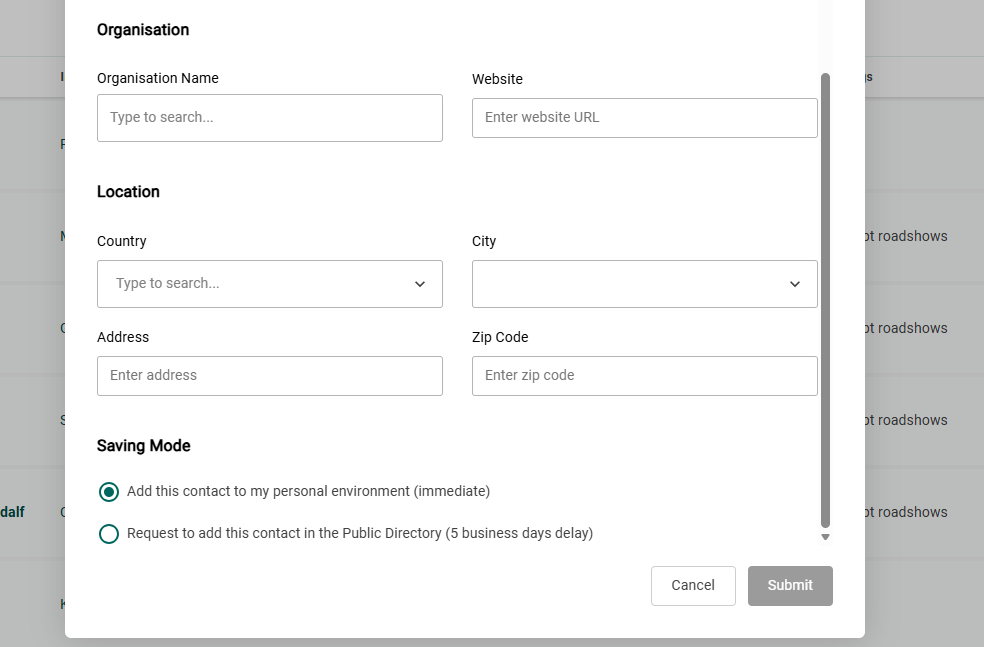
- When you have completed all the information, you can choose, under “Saving Mode”, to either save the profile as it is, or to request it be added to the Public Directory. In the second case, FactSet will research the contact and potentially add any relevant data they find on this person.